WordPress Security Without the Fear
Most WordPress security plugins sell fear: red alarms, scary scores, upsells. Aegistha is the opposite. A calm, plain-English checkup that honestly prioritizes your real risks and fixes the safe ones in one click, without ever locking you out.


Open most WordPress security plugins and the first thing you get is a wall of red. Critical threats. Your site is at risk. A scary score, a countdown, and a big button to upgrade. For a non-technical owner, it's built to make you anxious enough to pay, not to actually make you safer.
I wanted the opposite: a calm, honest checkup that tells you what's really wrong, in plain English, and quietly fixes the safe stuff. So I built Aegistha.
THE PROBLEM
Security advice for regular site owners comes in two flavors, terrifying or technical. The scary tools inflate every finding into an emergency and hide the upsell in the panic. The technical guides assume you already know what XML-RPC is. And some popular "hardening" is pure theater. Hiding your login URL, for instance, feels clever but mostly just risks locking you out. Nobody tells you which of these actually matter.
WHAT IT DOES
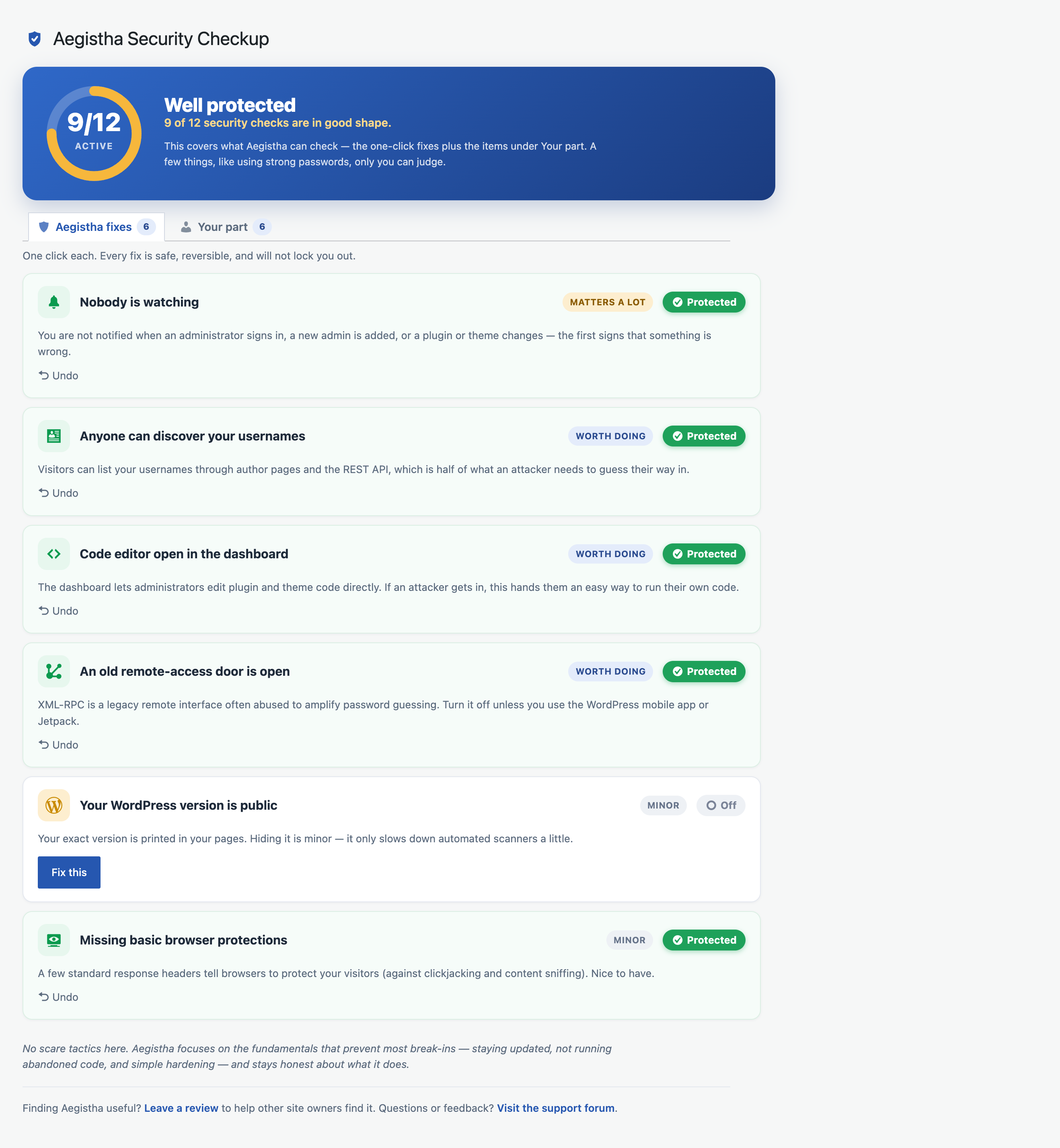
Aegistha runs a plain-English checkup and shows your security posture at a glance. A simple meter tracks how many checks are in good shape. Findings are ranked by honest priority, matters a lot, worth doing, or minor, instead of a wall of identical red alarms. And it splits the list in two: what Aegistha can safely fix for you, and the part only you can decide.
HOW IT WORKS
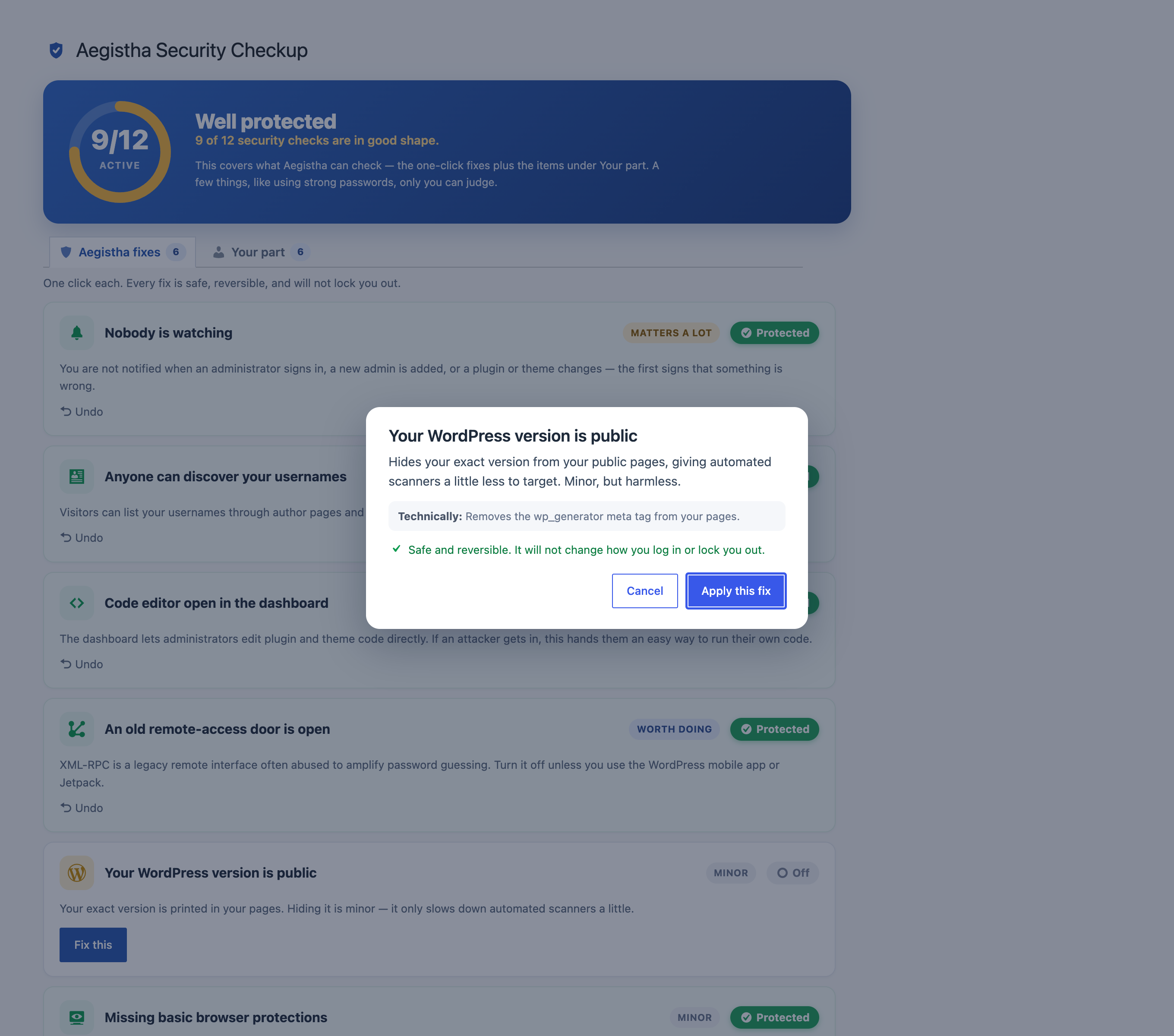
The one-click fixes are deliberately limited to things that cannot lock you out: admin login alerts, blocking username discovery, disabling the dashboard code editor, turning off XML-RPC, hiding your version, and adding basic security headers. Every fix explains what it changes before you apply it, and every one can be undone. For the rest, the "your part" checks, Aegistha verifies what it can (outdated or abandoned plugins, a pending WordPress or PHP update, missing HTTPS, an account still named "admin") and tells you exactly what to do.
HONEST BY DESIGN
This is the whole point. Your login stays advisory. Aegistha tells you if it's exposed, but it never hides your login URL or changes how you sign in, because that's the fastest way to lock yourself out. There are no fear-scores, no upsells, no security theater. When something barely helps, it says so. Hiding your WordPress version is included, but labeled honestly as minor. And it's upfront that a busy site may still want a firewall or malware scanner on top. Aegistha covers the fundamentals that stop most break-ins, not everything.
The name comes from the aegis, the protective shield of Greek myth. That's the idea: a shield you actually understand, that won't turn on you. Aegistha is live on the WordPress Plugin Directory and open source on GitHub.